Automate or Fall Behind: Why Continuous Compliance Is Non-Negotiable
It was 3 AM when Sarah's phone lit up with a Slack notification that made her heart sink. Her team's latest microservices deployment had just been flagged in a routine SOC 2 audit. Turns out a developer had accidentally committed AWS credentials to a public repository six weeks ago. The auditor wanted documentation of when the issue was detected, how it was remediated, and proof that it couldn't happen again. Sarah spent the next four hours digging through Git logs, Jira tickets, and scattered email threads, trying to piece together a timeline that would satisfy the auditors. By sunrise, she had her answer: they'd failed the audit checkpoint, delaying their enterprise customer deal by three months.
Sound familiar? If you've ever scrambled to prove compliance after the fact, you know the sinking feeling. Manual compliance checks aren't just slow. They're archaeological expeditions through your development history, hoping to find evidence that you did the right thing at the right time. The problem is that compliance has traditionally been treated as a gate at the end of the development pipeline, a final exam you cram for rather than a continuous discipline woven into your daily work.
Compliance, But Make It Continuous
Continuous compliance is the practice of ensuring that software development processes and technologies meet regulatory and security standards on an ongoing basis through automation. Rather than scheduling periodic reviews, you embed compliance checks directly into your development workflow so issues are caught immediately, evidence is generated automatically, and reporting becomes a by-product of normal work.
Manual compliance checks can slow development and introduce human error. Automated checks and audits provide faster feedback, clearer evidence, and simplified reporting. The difference is significant: instead of one stressed engineer reconstructing a six-week-old incident at 3 AM, you have a timestamped audit trail generated at the moment the issue occurred.
The shift to continuous compliance goes beyond speed. At its core, it fundamentally changes when and how you verify that your systems meet regulatory and security standards. Instead of collecting evidence after the fact, you generate it automatically as part of your normal development workflow.
The Quarterly Fire Drill Nobody Enjoys
In most organizations, compliance is still a quarterly fire drill. Teams scramble to generate reports, developers frantically update documentation, and everyone crosses their fingers that the auditors don't dig too deep. According to the Ponemon Institute, organizations spend an average of $5.47 million annually on compliance activities, with roughly 40% of that spent on manual evidence collection and report generation.
The traditional approach treats compliance as a checkpoint, a hurdle to clear before shipping. But modern software development doesn't work in neat, quarterly batches anymore. We deploy multiple times per day. Our infrastructure is code. Our secrets rotate automatically. Our dependencies update continuously. The old compliance model is like trying to audit a river by taking a single photograph once a quarter.
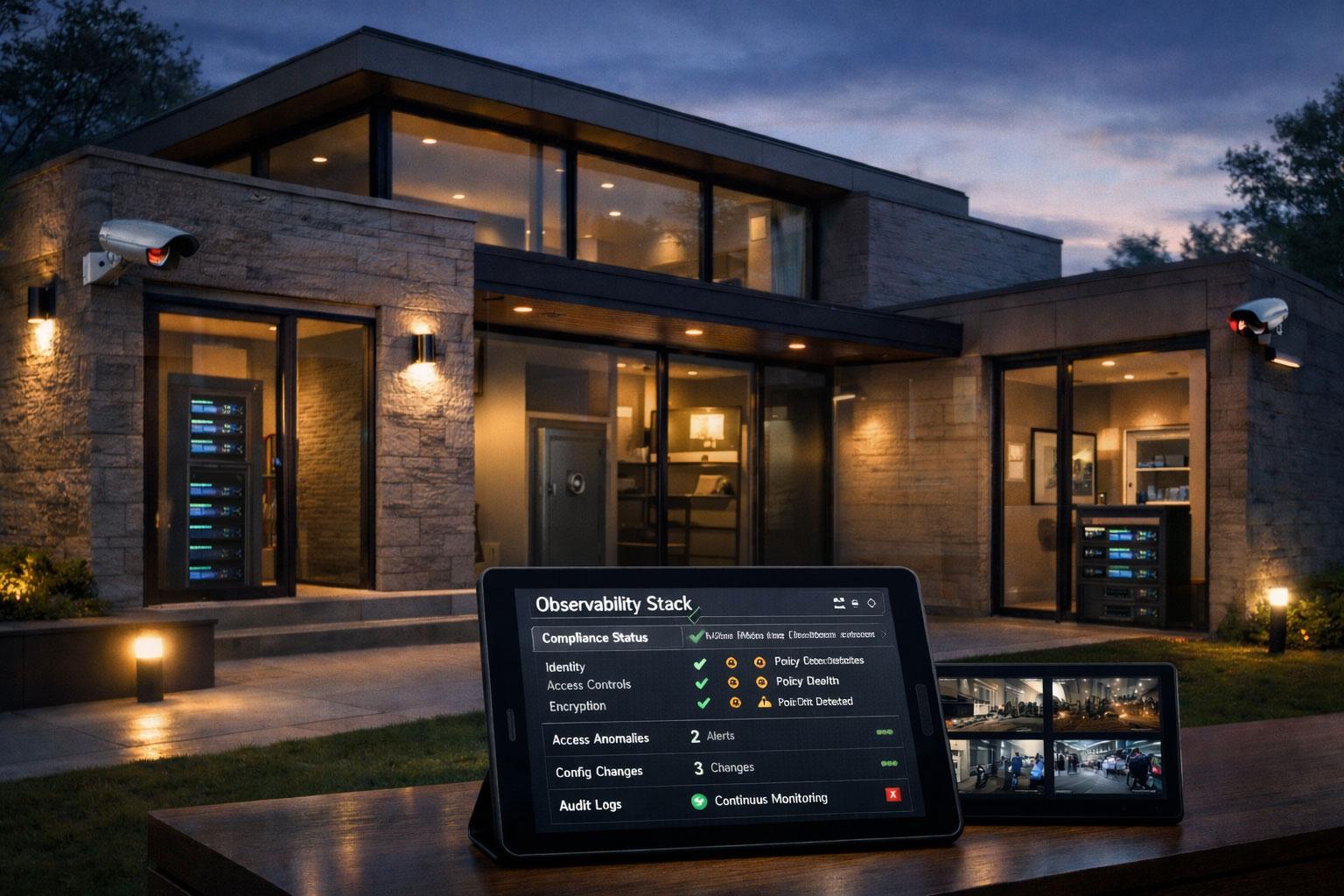
Think of continuous compliance as the difference between a home security system and a door lock. A door lock (traditional compliance) protects you at a single point in time. You check it before bed and hope nothing happens overnight. A security system (continuous compliance) monitors constantly, alerts you immediately when something's wrong, and maintains a detailed log of everything that happened. Which one would you trust to protect something valuable?
The Three Pillars
Continuous compliance operates on three core principles: automation evidence generation and real-time visibility Let's unpack each one.
Automation: Policy as Code with Open Policy Agent
Continuous compliance means encoding your compliance requirements as automated checks that run throughout your development pipeline. This is where Open Policy Agent (OPA) shines.
OPA is an open-source, general-purpose policy engine that decouples policy decision-making from enforcement. You write policies in Rego, a declarative language purpose-built for expressing rules over structured data. OPA can evaluate those policies against any JSON input, which makes it applicable across infrastructure, Kubernetes, API gateways, CI/CD pipelines, and more. Codifying rules this way enforces standards consistently across teams without creating bottlenecks: the policy runs in the pipeline, not in a human reviewer's inbox.
In practice, you rarely invoke OPA directly in a pipeline. Conftest is the companion tool that makes OPA practical for CI/CD. It wraps OPA's evaluation into a simple CLI that reads your Rego files from a policy/ directory, runs them against any configuration file you point it at (Kubernetes manifests, Terraform plans, Dockerfiles, and more), and exits with a non-zero code if any deny rule fires. That exit code is all your pipeline needs to block a non-compliant change.
Consider a Kubernetes compliance requirement: containers must not run as root, and images must come from an approved registry. In a manual compliance model, you'd rely on developers knowing the policy. With OPA, you express it directly as code:
package kubernetes.compliance

# Deny containers that run as root
deny contains msg if {
    some container in input.spec.containers
    not container.securityContext.runAsNonRoot
    msg := sprintf("Container '%v' must not run as root", [container.name])
}

# Deny images from unapproved registries
deny contains msg if {
    some container in input.spec.containers
    not startswith(container.image, "registry.myorg.com/")
    msg := sprintf(
        "Container '%v' uses image from unapproved registry: %v",
        [container.name, container.image]
    )
}
This policy evaluates the Kubernetes manifest as structured input and returns a set of violation messages. Each deny rule contributes independently to that set, so a single manifest can surface multiple issues at once. No manual review needed, no hoping someone remembered to verify it.
For infrastructure compliance, OPA integrates directly with Terraform. You export your Terraform plan as JSON, then evaluate it against your policies:
package terraform.compliance

import input as tfplan

# Deny security groups that allow unrestricted inbound HTTP
deny contains msg if {
    some r in tfplan.resource_changes
    r.type == "aws_security_group"
    some ingress in r.change.after.ingress
    ingress.from_port <= 80
    ingress.to_port >= 80
    ingress.cidr_blocks[_] == "0.0.0.0/0"
    msg := sprintf(
        "Security group '%v' exposes HTTP to the public internet",
        [r.address]
    )
}

# Enforce blast radius limit: block plans that delete too many resources
deny contains msg if {
    deletions := [change |
        some change in tfplan.resource_changes
        "delete" in change.change.actions
    ]
    count(deletions) > 10
    msg := sprintf(
        "Plan deletes %v resources, exceeding the allowed limit of 10",
        [count(deletions)]
    )
}
You evaluate this against a plan with:
terraform plan --out tfplan.binary
terraform show -json tfplan.binary > tfplan.json
conftest test tfplan.json --policy policy/ --namespace terraform.compliance
Conftest reports each violation clearly:
FAIL - tfplan.json - terraform.compliance - Security group 'aws_security_group.web' exposes HTTP to the public internet

1 test, 0 passed, 0 warnings, 1 failure, 0 exceptions
No failures means the plan is clean. Any failure exits with a non-zero code, blocking the deployment and recording exactly what failed and why.
SBOMs, SLSA, and Supply Chain Compliance
As software supply chain attacks have grown more common, compliance now extends beyond your own code to everything your software depends on. Generating a Software Bill of Materials (SBOM) within your CD pipeline gives you a verifiable inventory of every component in your software, which is increasingly required by regulation and customer contracts alike.
Aligning your pipeline with SLSA (Supply-chain Levels for Software Artifacts) guidance takes this further. SLSA defines a graduated set of requirements around build integrity, provenance, and source code management. Teams can detect and address compliance issues early by integrating SLSA checks directly into their pipelines, rather than discovering supply chain gaps during an audit.
OSCAL (Open Security Controls Assessment Language) also shows promise as a framework for automating compliance at scale. OSCAL provides machine-readable formats for expressing security controls, assessment results, and system security plans, which makes it possible to automate the generation and validation of compliance documentation that would otherwise require significant manual effort.
Evidence Generation: OPA's Structured Output
The second pillar is automatic evidence generation. Every automated check should produce a verifiable record that auditors can review. OPA produces structured JSON output natively, which means evidence is a direct by-product of running your policies, not a separate step.
Here's a more complete example showing how OPA can return rich, auditable findings rather than simple pass/fail results:
package compliance.evidence

# Produce structured findings with severity and policy reference
violations contains finding if {
    some store in input.data_stores
    not store.encryption.at_rest
    finding := {
        "resource":   store.name,
        "policy":     "HIPAA-164.312(a)(2)(iv)",
        "severity":   "critical",
        "message":    sprintf("Data store '%v' does not have encryption at rest enabled", [store.name]),
        "remediation": "Enable encryption using managed keys or customer-managed keys"
    }
}

violations contains finding if {
    some store in input.data_stores
    store.allow_unencrypted_connections
    finding := {
        "resource":   store.name,
        "policy":     "HIPAA-164.312(e)(1)",
        "severity":   "critical",
        "message":    sprintf("Data store '%v' allows unencrypted connections", [store.name]),
        "remediation": "Set require_secure_transport = ON"
    }
}

# Summary for the audit log
summary := {
    "total_violations": count(violations),
    "critical":         count([v | some v in violations; v.severity == "critical"]),
    "passed":           count(violations) == 0
}
When you run this against your environment state, OPA returns a JSON document you can store directly in your evidence repository:
{
  "violations": [
    {
      "resource": "prod-customer-db",
      "policy": "HIPAA-164.312(a)(2)(iv)",
      "severity": "critical",
      "message": "Data store 'prod-customer-db' does not have encryption at rest enabled",
      "remediation": "Enable encryption using managed keys or customer-managed keys"
    }
  ],
  "summary": {
    "total_violations": 1,
    "critical": 1,
    "passed": false
  }
}
When an auditor asks "How do you know all your databases were encrypted on March 15th?" you don't scramble to reconstruct history. You pull up the timestamped OPA output stored in your evidence repository showing every resource, its compliance status, and the exact evaluation at that point in time.
Real-Time Visibility: The Compliance Dashboard
The third pillar is making compliance status visible to everyone who needs it. Developers should see compliance issues in their pull requests. Operations teams should have dashboards showing current compliance posture. Leadership should get executive summaries without manual report generation.
Here's a practical example of how you might structure your compliance reporting:
| Compliance Domain | Automated Checks | Manual Reviews | Current Status | Trend |
|---|---|---|---|---|
| Data Encryption | 47 | 2 | ✅ 100% Pass | ↗️ Improving |
| Access Controls | 23 | 5 | ⚠️ 2 Violations | → Stable |
| Audit Logging | 15 | 0 | ✅ 100% Pass | → Stable |
| Secret Management | 31 | 1 | ❌ 5 Violations | ↘️ Degrading |
| Network Security | 38 | 3 | ✅ 100% Pass | ↗️ Improving |
This visibility transforms compliance from a mysterious black box into a transparent, measurable practice.
How to Roll It Out
Implementing continuous compliance doesn't happen overnight, but you can start small and expand. Each step below can be run locally before you touch your pipeline.
Step 1: Identify Your High-Risk Compliance Requirements
Start with the regulations that matter most to your business: GDPR, SOC 2, HIPAA, PCI DSS, or industry-specific standards. Within those frameworks, identify the requirements that are:
- Most frequently violated in audits
- Highest risk if violated (financial penalties, data breaches)
- Most time-consuming to verify manually
For a SaaS company, this might be data encryption, access logging, and secrets management. For a financial services firm, it might be transaction logging, data retention, and segregation of duties.
Step 2: Install the Tools
You need OPA and Conftest. Install them locally first so you can test policies before committing anything.
# Install OPA
curl -L -o opa https://openpolicyagent.org/downloads/latest/opa_linux_amd64_static
chmod +x opa
sudo mv opa /usr/local/bin/

# Install Conftest (resolves the exact versioned URL via the GitHub API)
CONFTEST_URL=$(curl -s https://api.github.com/repos/open-policy-agent/conftest/releases/latest \
  | grep browser_download_url \
  | grep Linux_x86_64.tar.gz \
  | cut -d '"' -f 4)
curl -Lo conftest.tar.gz "$CONFTEST_URL"
tar xzf conftest.tar.gz
sudo mv conftest /usr/local/bin/

# Verify both are working
opa version
conftest --version
On macOS, both are available via Homebrew: brew install opa conftest.
Step 3: Write Your First Policy
Create a policy/ directory at the root of your repository and add a Rego file. Here's a policy that checks Kubernetes deployments for required compliance labels and blocks any deployment without an approved security review:
mkdir -p policy k8s terraform
Save this as policy/deployments.rego:
package main

# Required labels that every deployment must carry
required_labels := {"owner", "cost-center", "security-review-approved"}

# Deny deployments missing required labels
deny contains msg if {
    some label in required_labels
    not input.metadata.labels[label]
    msg := sprintf("Deployment is missing required label: '%v'", [label])
}

# Deny deployments where the security review is not approved
deny contains msg if {
    input.metadata.labels["security-review-approved"] != "true"
    msg := "Deployment has not been approved by security review"
}

# Warn (but don't block) when replicas are below the HA threshold
warn contains msg if {
    input.spec.replicas < 2
    msg := sprintf(
        "Deployment has only %v replica(s); consider at least 2 for high availability",
        [input.spec.replicas]
    )
}
Save this as k8s/deployment.yaml to test against:
apiVersion: apps/v1
kind: Deployment
metadata:
  name: my-app
  labels:
    owner: platform-team
    cost-center: eng-001
    # security-review-approved label is missing — this should fail
spec:
  replicas: 1
  selector:
    matchLabels:
      app: my-app
  template:
    metadata:
      labels:
        app: my-app
    spec:
      containers:
        - name: my-app
          image: registry.myorg.com/my-app:latest
Run the check locally:
conftest test k8s/deployment.yaml --policy policy/
You should see output like:
FAIL - k8s/deployment.yaml - main - Deployment is missing required label: 'security-review-approved'
WARN - k8s/deployment.yaml - main - Deployment has only 1 replica(s); consider at least 2 for high availability

3 tests, 1 passed, 1 warning, 1 failure, 0 exceptions
Fix the deployment by adding the missing label and bumping replicas, then re-run to confirm it passes.
Step 4: Test Against a Terraform Plan
For infrastructure compliance, export your Terraform plan as JSON and run Conftest against it. If you don't have Terraform installed yet, follow the official install guide at https://developer.hashicorp.com/terraform/tutorials/aws-get-started/install-cli.
Save this as policy/terraform.rego:
package terraform.compliance

import input as tfplan

# Deny security groups that allow unrestricted inbound HTTP
deny contains msg if {
    some r in tfplan.resource_changes
    r.type == "aws_security_group"
    some ingress in r.change.after.ingress
    ingress.from_port <= 80
    ingress.to_port >= 80
    ingress.cidr_blocks[_] == "0.0.0.0/0"
    msg := sprintf(
        "Security group '%v' exposes HTTP to the public internet",
        [r.address]
    )
}
Then create a sample plan JSON to test against. In a real project you'd generate this with terraform plan --out tfplan.binary && terraform show -json tfplan.binary > tfplan.json, but for a local dry run you can save the following directly as terraform/tfplan.json:
{
  "format_version": "1.2",
  "resource_changes": [
    {
      "address": "aws_security_group.web",
      "type": "aws_security_group",
      "change": {
        "actions": ["create"],
        "after": {
          "name": "web",
          "ingress": [
            {
              "from_port": 80,
              "to_port": 80,
              "protocol": "tcp",
              "cidr_blocks": ["0.0.0.0/0"]
            }
          ]
        }
      }
    }
  ]
}
Now evaluate it:
conftest test terraform/tfplan.json --policy policy/ --namespace terraform.compliance
OPA returns structured JSON output you can save as audit evidence:
conftest test terraform/tfplan.json --policy policy/ --namespace terraform.compliance --output json \
  > compliance-report-$(date +%Y%m%dT%H%M%S).json
Step 5: Add It to Your Pipeline
Once policies work locally, plug them into CI. The pipeline mirrors exactly what you ran on your machine:
# .github/workflows/compliance.yml
name: Compliance Checks

on: [pull_request, push]

jobs:
  compliance:
    runs-on: ubuntu-latest
    steps:
      - uses: actions/checkout@v4

      - name: Install Terraform
        run: |
          wget -O - https://apt.releases.hashicorp.com/gpg | sudo gpg --dearmor \
            -o /usr/share/keyrings/hashicorp-archive-keyring.gpg
          echo "deb [arch=$(dpkg --print-architecture) signed-by=/usr/share/keyrings/hashicorp-archive-keyring.gpg] \
            https://apt.releases.hashicorp.com $(lsb_release -cs) main" \
            | sudo tee /etc/apt/sources.list.d/hashicorp.list
          sudo apt update && sudo apt install -y terraform

      - name: Install Conftest
        run: |
          CONFTEST_URL=$(curl -s https://api.github.com/repos/open-policy-agent/conftest/releases/latest \
            | grep browser_download_url \
            | grep Linux_x86_64.tar.gz \
            | cut -d '"' -f 4)
          curl -Lo conftest.tar.gz "$CONFTEST_URL"
          tar xzf conftest.tar.gz
          sudo mv conftest /usr/local/bin/

      - name: Check Kubernetes manifests
        run: conftest test k8s/ --policy policy/ --output github
        # --output github annotates violations directly on the PR diff

      - name: Check Terraform plan
        run: |
          cd terraform
          terraform init
          terraform plan --out tfplan.binary
          terraform show -json tfplan.binary > tfplan.json
          conftest test tfplan.json --policy ../policy/ --namespace terraform.compliance

      - name: Generate SBOM
        uses: anchore/sbom-action@v0
        with:
          artifact-name: sbom.spdx.json

      - name: Save compliance evidence
        if: always()
        run: conftest test k8s/ --policy policy/ --output json > compliance-report.json

      - name: Upload evidence artifacts
        if: always()
        uses: actions/upload-artifact@v4
        with:
          name: compliance-evidence-${{ github.sha }}
          path: |
            compliance-report.json
            sbom.spdx.json
          retention-days: 2555
The --output github flag makes Conftest emit annotations that GitHub Actions displays directly on the changed files in a pull request. Developers see exactly which line introduced the violation, without leaving their review interface. Conftest exits with a non-zero code on any deny violation, so the pipeline blocks the deployment automatically.
Why "Later" Is Too Late
Practices and tooling for continuous compliance are now mature enough that it should be treated as a sensible default. OPA is a graduated CNCF project, stable and widely adopted. Conftest makes pipeline integration straightforward. SBOM generation tooling has matured significantly. SLSA guidance is clear and actionable. OSCAL is gaining traction as a way to automate compliance documentation at scale. The barriers that once made this approach feel aspirational have largely been removed.
There's one more factor that makes this more urgent than ever: the increasing use of AI in coding. AI assistants can produce code quickly, but they can also introduce subtle security and compliance issues that developers might not scrutinize carefully enough. The risk of complacency with AI-generated code is real. When a developer accepts a suggestion without fully reviewing it, they may unknowingly introduce a misconfiguration, an insecure API call, or a dependency with a known vulnerability. Embedding OPA policies into the development process is a direct mitigation for this risk. The policies don't care whether the code was written by a human or an AI assistant.
This combination of maturing tooling and growing AI adoption is why we've moved our recommendation for continuous compliance to Adopt. Continuous compliance has moved from an advanced practice for well-resourced teams to the sensible baseline for any team shipping software.
The Payoff
Implementing continuous compliance transforms your relationship with audits and regulatory requirements. Instead of dreading audit season, you're continuously audit-ready. Here's what changes:
- Faster audits: Evidence is pre-generated and organized, cutting audit time by 60-80%
- Fewer violations: Catching issues early means they're fixed before they become audit findings
- Better security posture: Compliance checks often overlap with security best practices
- Reduced manual effort: Teams spend time building features instead of collecting evidence
- Improved developer experience: Clear, immediate feedback beats surprise audit findings
Most importantly, continuous compliance shifts the conversation from "Are we compliant?" to "How do we maintain compliance while moving fast?" That is the difference between compliance as a constraint and compliance as a capability.
Your Move
Ready to stop treating compliance as a fire drill? Here's your action plan:
- Audit your current state: Document how much time your team spends on manual compliance activities quarterly
- Pick one high-value policy: Start with something painful, maybe secret scanning or encryption validation
- Write your first Rego policy: Express that requirement in OPA, connect it to Conftest, and add it to one pipeline
- Expand gradually: Add more policies as you prove value and build confidence
The real question is whether you can afford to keep doing compliance the old way. Every hour spent reconstructing evidence is an hour not spent building your product. Every surprise audit finding is a delay in closing deals. Every manual check is an opportunity for human error.
What compliance requirement causes your team the most pain today? That's where you start.
Share this article
Related articles

Sovereign Cloud Strategy: Residency Is Not Enough
Sovereign cloud vendors sell EU regions and sovereign SKUs, but the US CLOUD Act reaches data by possession, not location. Decide the real threat first.

Data Mesh: Decentralization Without the Anarchy
Inside a single telco, "Service" means four different things across four different teams. This is the problem data mesh was built to solve and why getting the canonical model right matters more than any platform decision.

Internal Developer Platforms: Stop Reinventing Wheels in Every Squad
Every squad reinventing the same deployment pipelines, logging stacks, and secrets management. Sound familiar? Here is how Internal Developer Platforms end the cycle and let your engineers focus on what actually matters.
Enjoyed this article?
Subscribe to get more insights delivered to your inbox monthly
Subscribe to Newsletter